Add approved knowledge
Bring together the website pages, policies, guides, FAQs, services and product information that should represent the business.
FROM APPROVED KNOWLEDGE TO CUSTOMER CONVERSATIONS
Add the knowledge that should represent your business, test real questions privately, review the evidence and go live when the answers are ready.
No credit card needed. Test important questions privately before going live.
01 Your approved sources
02 Your test questions
03 Your decision to publish
A CONTROLLED PATH TO GO-LIVE
The workflow is designed to make the important questions visible before Helper becomes customer-facing.
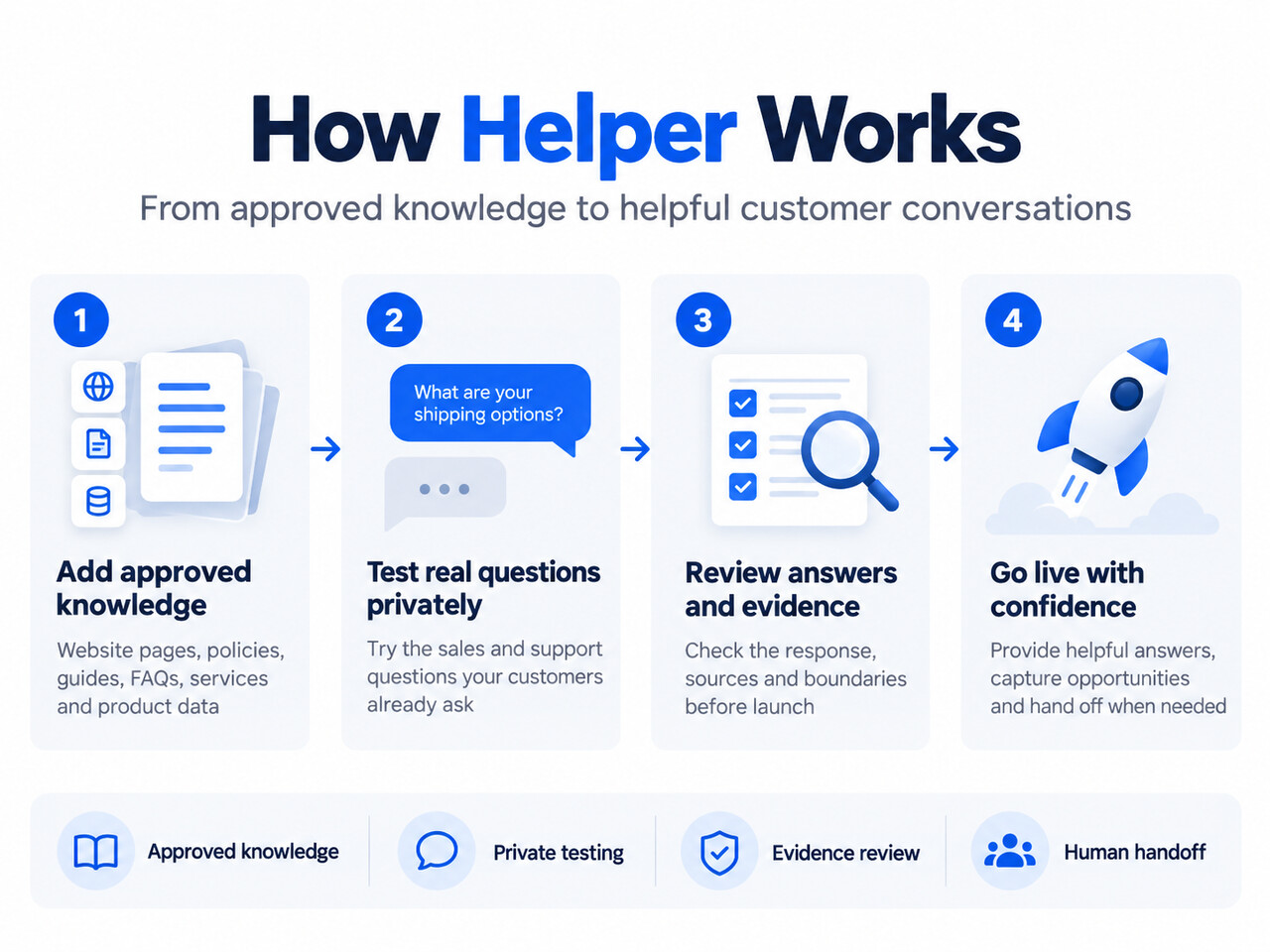
Bring together the website pages, policies, guides, FAQs, services and product information that should represent the business.
Set the tone, greeting, questions to ask, topics to avoid and situations where a person should step in.
Use realistic sales and support conversations, including awkward, incomplete and ambiguous examples.
Inspect the response and supporting source material. Improve knowledge that is missing, unclear or conflicting.
Publish when ready, review real questions and turn useful gaps into better approved knowledge.
Define the boundary between a useful automated answer and a question your team should continue.
1. ADD APPROVED KNOWLEDGE
Use the website, business and product sources your plan supports. Keep the source material clear, current and aligned with the answers your team would give.
2–4. SHAPE, TEST AND REVIEW
Clean demo questions are not enough. Test vague descriptions, combined requirements, policy edge cases and missing information.
PRIVATE TEST QUESTION
“Will this replacement work with the older AX-420 unit in our plant?”
Expected behaviour: request the attributes needed to verify compatibility
Please share the voltage, connection size, operating temperature and available length. The flange pattern may also need specialist confirmation.
5. GO LIVE AND LEARN
Review what customers ask, where the answer succeeds and where clearer knowledge or a better handoff would help.
Keep proven guidance available whenever customers need it.
Improve missing or conflicting source material, then test again.
Keep the question and context when judgement belongs with the team.
A FEW GOOD QUESTIONS
Still deciding? Start free and test the questions that matter to your business.
No. Use the private test environment to add knowledge, try real questions and review the evidence before adding it to the customer journey.
Supported sources depend on the product and plan. Typical categories include website pages, services, policies, FAQs, guides and product catalogue information.
Check the answer against the expected content, inspect the supporting source, verify the boundary and test the important variations customers may ask.
Start with high-value sales questions, repeated support enquiries, ambiguous wording and questions where a wrong answer would create the most risk.
YOUR CUSTOMERS ALREADY HAVE QUESTIONS
Bring your approved knowledge and a handful of difficult questions. The first goal is not an account — it is an answer you would be happy for a customer to receive.